Docs / Tutorials /
Blender
Follow this tutorial to create a RenderPen presentation from a Blender file.
Step 1: Open export dialog
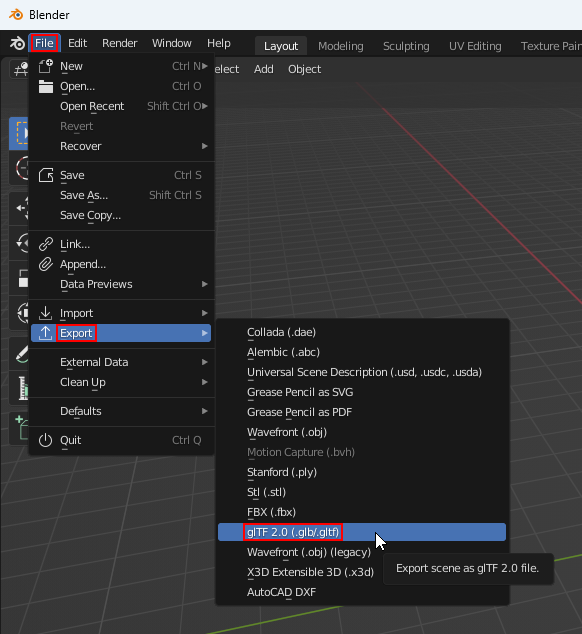
With your .blend file open in Blender, click File › Export › glTF 2.0 (.glb/.gltf)
Step 2: Adjust settings & export
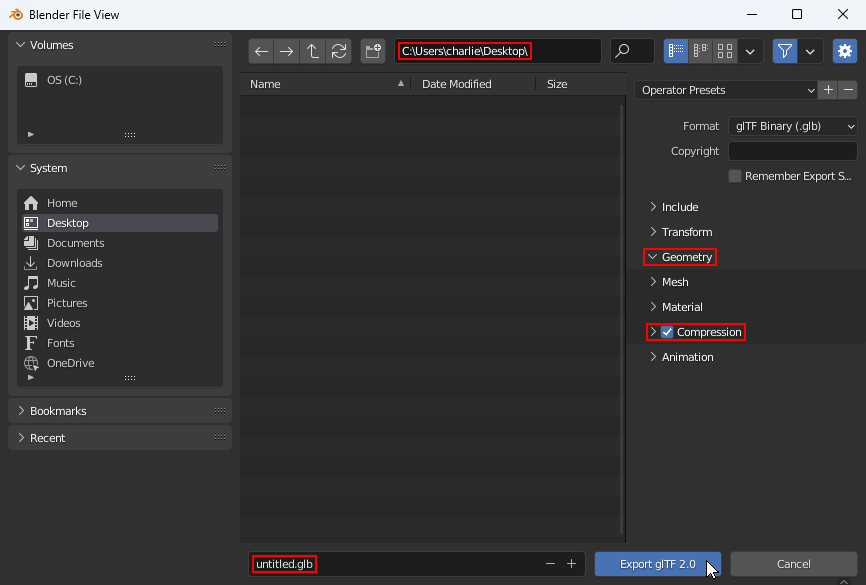
In the Blender File View dialog, adjust the directory path and enter a file name. Expand the Geometry section and check the Compression checkbox. Click the Export glTF 2.0 button.
Step 3: Create RenderPen project
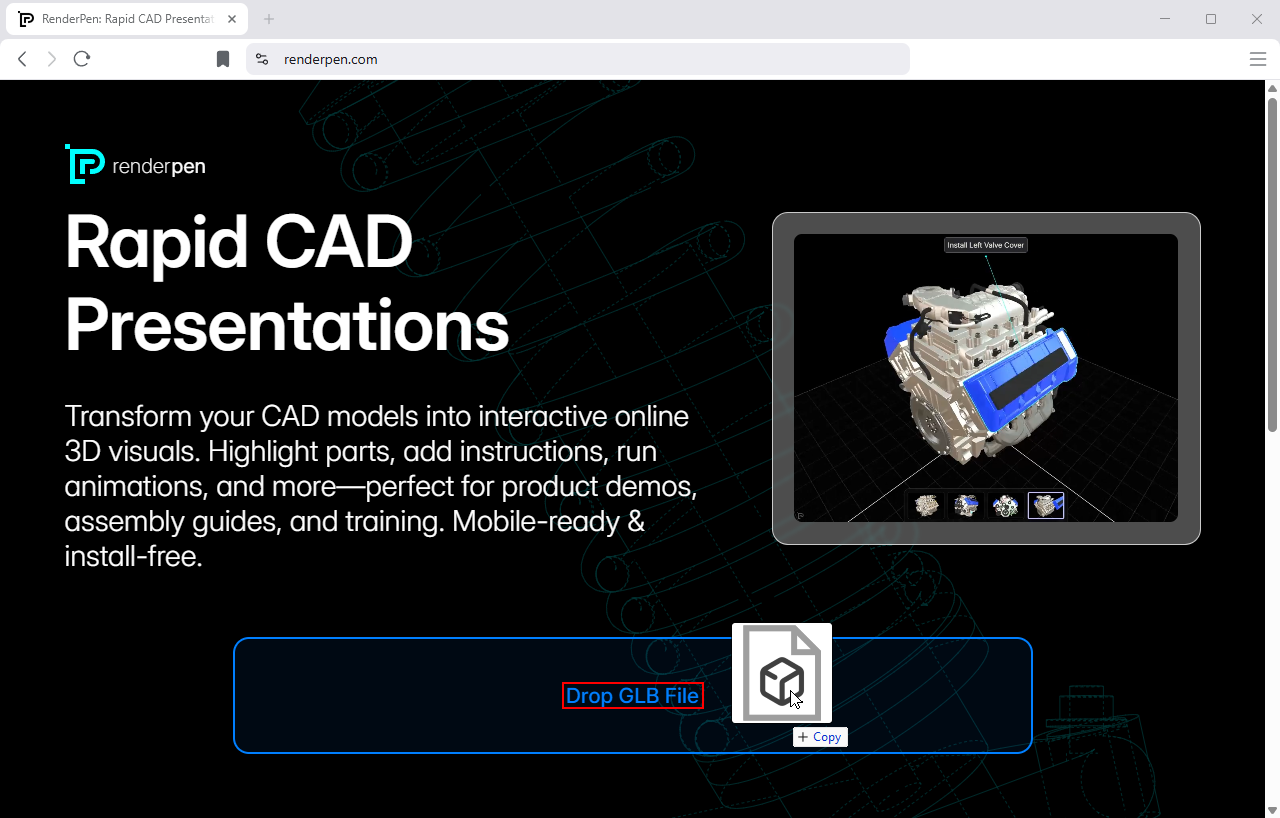
Go to renderpen.com and drop the .glb file from step 2 into the drop zone.
Step 4: Annotate & save
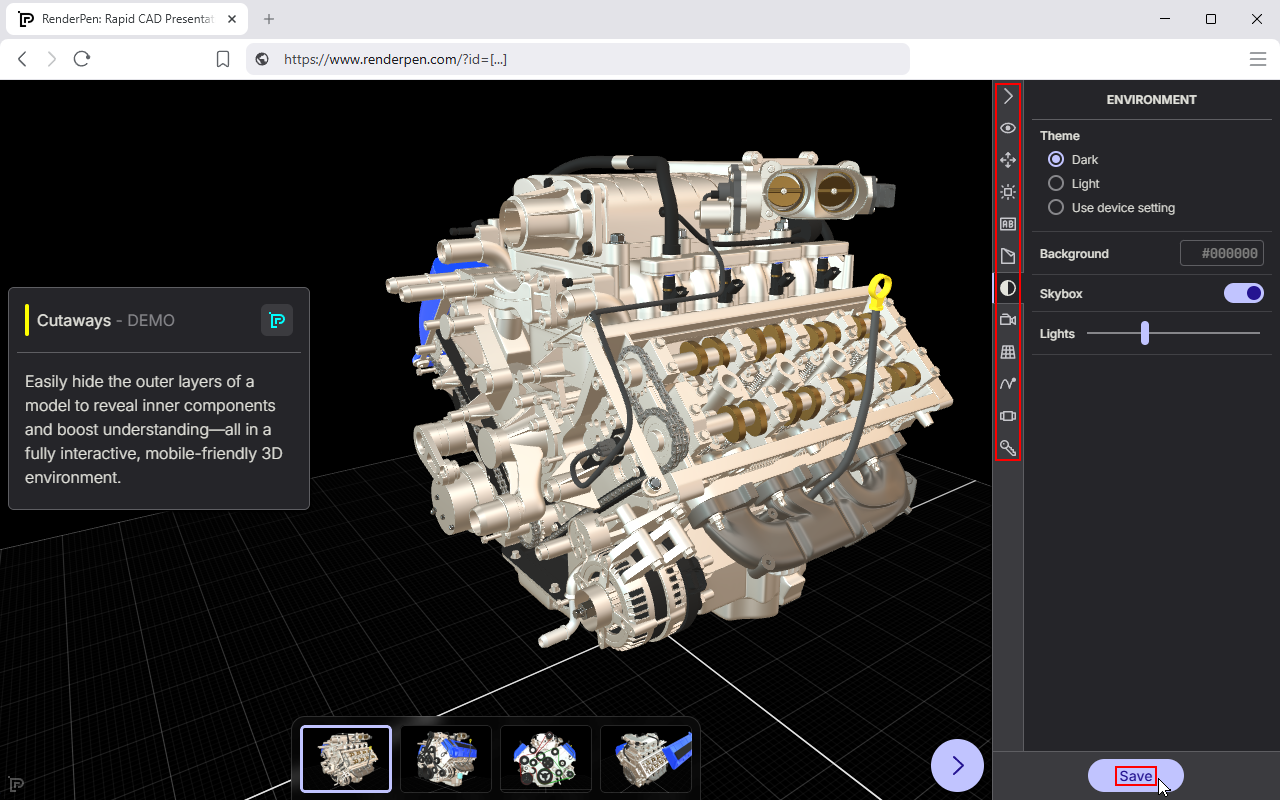
Use the annotation tools to prepare your presentation (optional). Click the Save button and enter your email address when prompted.
Step 5: Share
RenderPen will email you private project links (check your spam folder if needed). Share the View link with your audience.